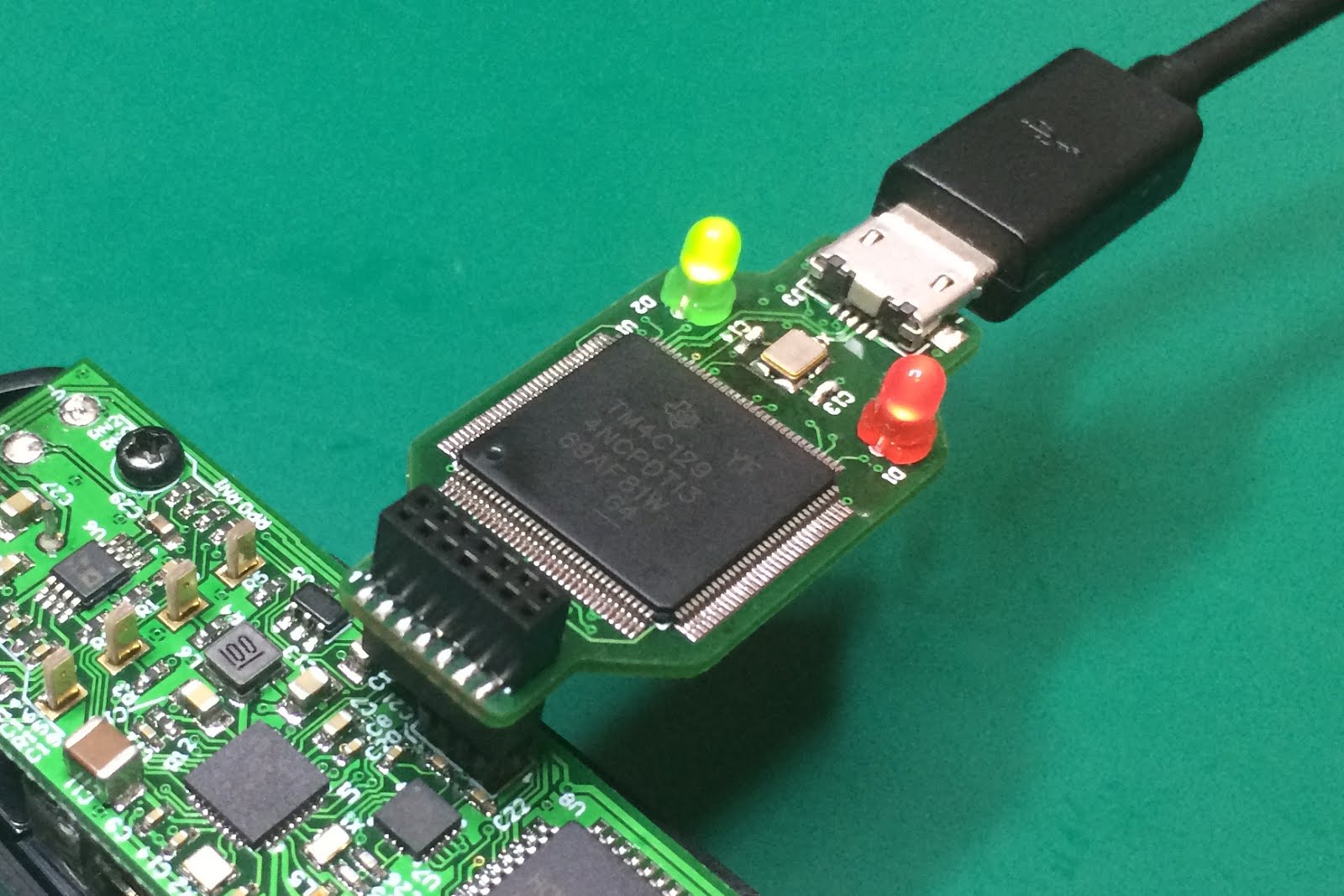
Part Number:MSP432P4111
Tool/software: Code Composer Studio
I'm trying to program a relatively basic thing, a stopwatch. I have a MSP432P4111 launchpad which has a built in LCD.
1. My project needs to be triggered by an switch, to start and stop the clock
2. Show the time on an LCD
3. Display the same time via UART, and hopefully Bluetooth later
4. Be accurate to the millisecond.
I've reviewed example projects like:
lcd_f_animated_text_MSP_EXP432P4111_nortos_ccs uartecho_MSP_EXP432P4111_nortos_ccs gpio_input_interrupt_MSP_EXP432P4111_nortos_ccs msp432p411x_rtc_04_MSP_EXP432P4111_nortos_ccs
It seems like all of the example projects have different included files or build options, like if i try to add " #include <ti/devices/msp432p4xx/driverlib/driverlib.h> " to a project that didn't have it already I always get ""C:/ti/simplelink_msp432p4_sdk_2_40_00_10/source/ti/devices/msp432p4xx/inc/msp.h", line 76: fatal error #35: #error directive: "Failed to match a default include file" "
It's extremely frustrating, if I programmed this with Arduino I would be done in a day, but I have to use code composer studio for "school reasons". I know Arduino isn't as fast or accurate but it's really nice how the same code works on different boards.
Can someone please tell me how to make a project with all the necessary includes and options for my project?
This is the code i have so far, it's based off the animate text example. I tried to mix and match different examples but it's not working right.
please help!
//Combined with gpio interrupt
//* MSP432 LCD_F Animated Text
#include <ti/devices/msp432p4xx/driverlib/driverlib.h>
#include <stdint.h>
#include <stdbool.h>
#include <stdint.h>
#include <stddef.h>
#include <ti/drivers/GPIO.h>
#include <ti/drivers/UART.h>
#include "ti/devices/msp432p4xx/inc/msp.h"
int t =0;
int i1;
int i2;
int i3;
int i4;
int i5;
int i6;
// RTC interrupt service routine
void RTC_C_IRQHandler(void)
{
// Toggles P1.0 every second
if (RTC_C->PS1CTL & RTC_C_PS1CTL_RT1PSIFG)
{
// P1->OUT ^= BIT0;
t++;
// Clear the pre-scalar timer interrupt flag
RTC_C->PS1CTL &= ~(RTC_C_PS1CTL_RT1PSIFG);
}
}
// Definitions for LCD Driver
#define char1 16 // Digit A1 - L16
#define char2 32 // Digit A2 - L32
#define char3 40 // Digit A3 - L40
#define char4 36 // Digit A4 - L36
#define char5 28 // Digit A5 - L28
#define char6 44 // Digit A6 - L44
// LCD memory map for numeric digits (Byte Access)
const char digit[10][4] =
{
{0xC, 0xF, 0x8, 0x2}, /* "0" LCD segments a+b+c+d+e+f+k+q */
{0x0, 0x6, 0x0, 0x2}, /* "1" */
{0xB, 0xD, 0x0, 0x0}, /* "2" */
{0x3, 0xF, 0x0, 0x0}, /* "3" */
{0x7, 0x6, 0x0, 0x0}, /* "4" */
{0x7, 0xB, 0x0, 0x0}, /* "5" */
{0xF, 0xB, 0x0, 0x0}, /* "6" */
{0x4, 0xE, 0x0, 0x0}, /* "7" */
{0xF, 0xF, 0x0, 0x0}, /* "8" */
{0x7, 0xF, 0x0, 0x0} /* "9" */
};
// LCD memory map for uppercase letters (Byte Access)
const char alphabetBig[26][4] =
{
{0xF, 0xE, 0x0, 0x0}, /* "A" LCD segments a+b+c+e+f+g+m */
{0x1, 0xF, 0x0, 0x5}, /* "B" */
{0xC, 0x9, 0x0, 0x0}, /* "C" */
{0x0, 0xF, 0x0, 0x5}, /* "D" */
{0xF, 0x9, 0x0, 0x0}, /* "E" */
{0xF, 0x8, 0x0, 0x0}, /* "F" */
{0xD, 0xB, 0x0, 0x0}, /* "G" */
{0xF, 0x6, 0x0, 0x0}, /* "H" */
{0x0, 0x9, 0x0, 0x5}, /* "I" */
{0x8, 0x7, 0x0, 0x0}, /* "J" */
{0xE, 0x0, 0x2, 0x2}, /* "K" */
{0xC, 0x1, 0x0, 0x0}, /* "L" */
{0xC, 0x6, 0x0, 0xA}, /* "M" */
{0xC, 0x6, 0x2, 0x8}, /* "N" */
{0xC, 0xF, 0x0, 0x0}, /* "O" */
{0xF, 0xC, 0x0, 0x0}, /* "P" */
{0xC, 0xF, 0x2, 0x0}, /* "Q" */
{0xF, 0xC, 0x2, 0x0}, /* "R" */
{0x7, 0xB, 0x0, 0x0}, /* "S" */
{0x0, 0x8, 0x0, 0x5}, /* "T" */
{0xC, 0x7, 0x0, 0x0}, /* "U" */
{0xC, 0x0, 0x8, 0x2}, /* "V" */
{0xC, 0x6, 0xA, 0x0}, /* "W" */
{0x0, 0x0, 0xA, 0xA}, /* "X" */
{0x0, 0x0, 0x0, 0xB}, /* "Y" */
{0x0, 0x9, 0x8, 0x2} /* "Z" */
};
static void showChar(char c, int position)
{
uint8_t ii;
if (c == ' ')
{
for (ii=0; ii<4; ii++)
{
LCD_F->M[position+ii] |= 0x00;
}
}
else if (c >= '0' && c <= '9')
{
for (ii=0; ii<4; ii++)
{
LCD_F->M[position+ii] |= digit[c-48][ii];
}
}
else if (c >= 'A' && c <= 'Z')
{
for (ii=0; ii<4; ii++)
{
LCD_F->M[position+ii] |= alphabetBig[c-65][ii];
}
} else
{
LCD_F->M[position] = 0xFF;
}
}
// Configuration Structure for LCD
LCD_F_Config lcdConf =
{
.clockSource = LCD_F_CLOCKSOURCE_ACLK,
.clockDivider = LCD_F_CLOCKDIVIDER_32,
.clockPrescaler = LCD_F_CLOCKPRESCALER_1,
.muxRate = LCD_F_4_MUX,
.waveforms = LCD_F_STANDARD_WAVEFORMS,
.segments = LCD_F_SEGMENTS_ENABLED
};
int main(void)
{
// Halting the Watchdog
WDT_A_holdTimer();
// Enabling MASTER interrupts
Interrupt_enableMaster();
int i1 = 0;
int i2 = 0;
int i3 = 0;
int i4 = 0;
int i5 = 0;
int i6 = 0;
/* UART wont word DX
// UART_write(UART_Handle handle, const void *buffer, size_t size);
// mainThread(NULL);
// char input;
char echoPrompt[] = "Test:\r\n";
UART_Handle uart;
UART_Params uartParams;
GPIO_init();
UART_init();
// GPIO_setConfig(Board_GPIO_LED0, GPIO_CFG_OUT_STD | GPIO_CFG_OUT_LOW);
// GPIO_write(Board_GPIO_LED0, Board_GPIO_LED_ON);
UART_write(uart, echoPrompt, sizeof(echoPrompt));
*/
//Setting MCLK to REFO at 128Khz for LF mode
CS_setReferenceOscillatorFrequency(CS_REFO_128KHZ);
CS_initClockSignal(CS_MCLK, CS_REFOCLK_SELECT, CS_CLOCK_DIVIDER_1);
PCM_setPowerState(PCM_AM_LF_VCORE0);
// Configuring GPIO
GPIO_setAsOutputPin(GPIO_PORT_P1, GPIO_PIN0);
GPIO_setOutputLowOnPin(GPIO_PORT_P1, GPIO_PIN0);
GPIO_setAsOutputPin(GPIO_PORT_P2, GPIO_PIN1);
GPIO_setOutputLowOnPin(GPIO_PORT_P2, GPIO_PIN1);
// Configuring P1.0 as output and P1.1 (switch) as input
GPIO_setAsOutputPin(GPIO_PORT_P1, GPIO_PIN0);
GPIO_setAsOutputPin(GPIO_PORT_P2, GPIO_PIN2);
GPIO_setAsOutputPin(GPIO_PORT_P2, GPIO_PIN1);
// Configuring P1.1 as an input and enabling interrupts
GPIO_setAsInputPinWithPullUpResistor(GPIO_PORT_P1, GPIO_PIN1);
GPIO_clearInterruptFlag(GPIO_PORT_P1, GPIO_PIN1);
GPIO_enableInterrupt(GPIO_PORT_P1, GPIO_PIN1);
Interrupt_enableInterrupt(INT_PORT1);
// MAP_GPIO_setAsInputPinWithPullUpResistor(GPIO_PORT_P1, GPIO_PIN1);
// MAP_GPIO_clearInterruptFlag(GPIO_PORT_P1, GPIO_PIN1);
// MAP_GPIO_enableInterrupt(GPIO_PORT_P1, GPIO_PIN1);
// Configuring Timer32 to 128000 (1s) of MCLK in periodic mode
Timer32_initModule(TIMER32_BASE, TIMER32_PRESCALER_1, TIMER32_32BIT, TIMER32_PERIODIC_MODE);
// Enabling interrupts
// MAP_Interrupt_enableInterrupt(INT_PORT1);
Interrupt_enableInterrupt(INT_T32_INT1);
Interrupt_enableMaster();
// Initializing all of the function selection bits in the pins
P3->SEL1 |= 0xF2;
P6->SEL1 |= 0x0C;
P7->SEL1 |= 0xF0;
P8->SEL1 |= 0xFC;
P9->SEL1 |= 0xFF;
P10->SEL1 |= 0x3F;
// Setting ACLK to the reference oscillator
CS_initClockSignal(CS_ACLK, CS_REFOCLK_SELECT, CS_CLOCK_DIVIDER_1);
// Initializing the LCD_F module
LCD_F_initModule(&lcdConf);
// Clearing out all memory
LCD_F_clearAllMemory();
// Initializing all of our pins and setting the relevant COM lines
LCD_F_setPinsAsLCDFunction(LCD_F_SEGMENT_LINE_0, LCD_F_SEGMENT_LINE_3);
LCD_F_setPinAsLCDFunction(LCD_F_SEGMENT_LINE_6);
LCD_F_setPinsAsLCDFunction(LCD_F_SEGMENT_LINE_16, LCD_F_SEGMENT_LINE_19);
LCD_F_setPinsAsLCDFunction(LCD_F_SEGMENT_LINE_26, LCD_F_SEGMENT_LINE_47);
LCD_F_setPinAsCOM(LCD_F_SEGMENT_LINE_26, LCD_F_MEMORY_COM0);
LCD_F_setPinAsCOM(LCD_F_SEGMENT_LINE_27, LCD_F_MEMORY_COM1);
LCD_F_setPinAsCOM(LCD_F_SEGMENT_LINE_6, LCD_F_MEMORY_COM2);
LCD_F_setPinAsCOM(LCD_F_SEGMENT_LINE_3, LCD_F_MEMORY_COM3);
// Turing the LCD_F module on
LCD_F_turnOn();
// number + '0' = char of that number =D cool
showChar(i1 + '0', char1);
showChar(i2 + '0', char2);
showChar(i3 + '0', char3);
showChar(i4 + '0', char4);
showChar(i5 + '0', char5);
showChar(i6 + '0', char6);
PCM_gotoLPM0();
// Enabling SRAM Bank Retention
SysCtl_A_enableSRAMRetention(0x20002000, 0x20002000);
GPIO_setOutputLowOnPin(GPIO_PORT_P1, GPIO_PIN0);
GPIO_setOutputHighOnPin(GPIO_PORT_P2, GPIO_PIN2);
GPIO_setOutputHighOnPin(GPIO_PORT_P2, GPIO_PIN1);
// Configure Port J
PJ->DIR |= (BIT2 | BIT3); PJ->OUT &= ~(BIT2 | BIT3);
PJ->SEL0 |= BIT0 | BIT1; // set LFXT pin as second function
CS->KEY = CS_KEY_VAL ; // Unlock CS module for register access
CS->CTL2 |= CS_CTL2_LFXT_EN; // LFXT on
// Loop until XT1, XT2 & DCO fault flag is cleared
do
{
// Clear XT2,XT1,DCO fault flags
CS->CLRIFG |= CS_CLRIFG_CLR_DCOR_OPNIFG | CS_CLRIFG_CLR_HFXTIFG |
CS_CLRIFG_CLR_LFXTIFG | CS_CLRIFG_CLR_FCNTLFIFG;
SYSCTL_A->NMI_CTLSTAT &= ~ SYSCTL_A_NMI_CTLSTAT_CS_SRC;
} while ((SYSCTL_A->NMI_CTLSTAT | SYSCTL_A_NMI_CTLSTAT_CS_FLG)
&& (CS->IFG & CS_IFG_LFXTIFG)); // Test oscillator fault flag
// Select ACLK as LFXTCLK
CS->CTL1 &= ~(CS_CTL1_SELA_MASK) | CS_CTL1_SELA_0;
CS->KEY = 0; // Lock CS module from unintended accesses
// Configure RTC
// Unlock RTC key protected registers
RTC_C->CTL0 = RTC_C_KEY;
RTC_C->CTL13 = RTC_C_CTL13_HOLD | // Hold the RTC for now
RTC_C_CTL13_MODE | // Set the RTC to calendar mode
RTC_C_CTL13_BCD; // BCD mode
RTC_C->PS1CTL = RTC_C_PS1CTL_RT1IP__2 | // set divider to 128
RTC_C_PS1CTL_RT1PSIE; // Enable pre-scaler interrupt enable
// Start RTC calendar mode
RTC_C->CTL13 = RTC_C->CTL13 & ~(RTC_C_CTL13_HOLD);
// Lock the RTC registers
RTC_C->CTL0 = RTC_C->CTL0 & ~(RTC_C_CTL0_KEY_MASK);
// Enable all SRAM bank retentions prior to going to LPM3
SYSCTL_A->SRAM_BANKEN_CTL0 = SYSCTL_A_SRAM_BANKEN_CTL0_BNK0_EN
| SYSCTL_A_SRAM_BANKEN_CTL0_BNK1_EN
| SYSCTL_A_SRAM_BANKEN_CTL0_BNK2_EN
| SYSCTL_A_SRAM_BANKEN_CTL0_BNK3_EN;
// Enable retention for all blocks within each bank (8blks/bank x 4banks=32 blocks)
SYSCTL_A->SRAM_BLKRET_CTL0 = 0xFFFFFFFF;
// Enable global interrupt
__enable_irq();
// Enable the RTC_C in the NVIC module
NVIC->ISER[0] = 1 << ((RTC_C_IRQn) & 31);
// Sleep on exit from ISR
//SCB->SCR |= SCB_SCR_SLEEPONEXIT_Msk;
// Ensures SLEEPONEXIT takes effect immediately
// __DSB();
while (1)
{
// Initializing all of our pins and setting the relevant COM lines
LCD_F_setPinsAsLCDFunction(LCD_F_SEGMENT_LINE_0, LCD_F_SEGMENT_LINE_3);
LCD_F_setPinAsLCDFunction(LCD_F_SEGMENT_LINE_6);
LCD_F_setPinsAsLCDFunction(LCD_F_SEGMENT_LINE_16, LCD_F_SEGMENT_LINE_19);
LCD_F_setPinsAsLCDFunction(LCD_F_SEGMENT_LINE_26, LCD_F_SEGMENT_LINE_47);
LCD_F_setPinAsCOM(LCD_F_SEGMENT_LINE_26, LCD_F_MEMORY_COM0);
LCD_F_setPinAsCOM(LCD_F_SEGMENT_LINE_27, LCD_F_MEMORY_COM1);
LCD_F_setPinAsCOM(LCD_F_SEGMENT_LINE_6, LCD_F_MEMORY_COM2);
LCD_F_setPinAsCOM(LCD_F_SEGMENT_LINE_3, LCD_F_MEMORY_COM3);
//uint8_t frame1 = showChar(i6 + '0', char6);
// Set battery animation frames
LCD_F->ANM[0] = 0x11; // Frame 1 // Not sure why this is the same as frame 1
LCD_F->ANM[1] = 0x11; // Frame 2 //but displays something else... ?
LCD_F->ANM[2] = 0x31; // Frame 3
// LCD_F->ANM[3] = 0x33; // Frame 4
// LCD_F->ANM[4] = 0x73; // Frame 5
// LCD_F->ANM[5] = 0x77; // Frame 6
// LCD_F->ANM[6] = 0xF7; // Frame 7
// LCD_F->ANM[7] = 0xFF; // Frame 8
// Configuring and enabling animation
LCD_F_setAnimationControl(LCD_F_ANIMATION_FREQ_CLOCK_PRESCALAR_512,
LCD_F_ANIMATION_FREQ_CLOCK_DIVIDER_8,
LCD_F_ANIMATION_FRAMES_T0_TO_T3);
LCD_F_enableAnimation();
// Turing the LCD_F module on
LCD_F_turnOn();
// Going into LPM0
PCM_gotoLPM3(); // ?
PCM_gotoLPM0();
// GPIO_toggleOutputOnPin(GPIO_PORT_P2, GPIO_PIN2);
// Initializing all of the function selection bits in the pins
P3->SEL1 |= 0xF2;
P6->SEL1 |= 0x0C;
P7->SEL1 |= 0xF0;
P8->SEL1 |= 0xFC;
P9->SEL1 |= 0xFF;
P10->SEL1 |= 0x3F;
// Setting ACLK to the reference oscillator
CS_initClockSignal(CS_ACLK, CS_REFOCLK_SELECT, CS_CLOCK_DIVIDER_1);
// Initializing the LCD_F module
LCD_F_initModule(&lcdConf);
// Clearing out all memory
LCD_F_clearAllMemory();
i6++;
if (i6 ==10 )
{
i6=0;
i5 ++;
}
if (i5 ==10 )
{
i5=0;
i4 ++;
}
if (i4 ==10 )
{
i4=0;
i3 ++;
}
if (i3 ==10 )
{
i3=0;
i2 ++;
}
if (i2 ==10 )
{
i2=0;
i1 ++;
}
LCD_F_turnOn();
showChar(i1 + '0', char1);
showChar(i2 + '0', char2);
showChar(i3 + '0', char3);
showChar(i4 + '0', char4);
showChar(i5 + '0', char5);
showChar(i6 + '0', char6);
PCM_gotoLPM0();
// Going to LPM3
PCM_gotoLPM3(); // ?
// Setting the sleep deep bit
// SCB->SCR |= (SCB_SCR_SLEEPDEEP_Msk);
// __sleep();
}
}
// GPIO ISR
void PORT1_IRQHandler(void)
{
uint32_t status;
status = GPIO_getEnabledInterruptStatus(GPIO_PORT_P1);
GPIO_clearInterruptFlag(GPIO_PORT_P1, status);
// Toggling the output on the LED
if(status & GPIO_PIN1)
{
// GPIO_toggleOutputOnPin(GPIO_PORT_P1, GPIO_PIN0);
GPIO_toggleOutputOnPin(GPIO_PORT_P2, GPIO_PIN1);
GPIO_toggleOutputOnPin(GPIO_PORT_P2, GPIO_PIN2);
// showChar(i1 + '0', char1);
// showChar(i2 + '0', char2);
// showChar(i3 + '0', char3);
// showChar(i4 + '0', char4);
// showChar(i5 + '0', char5);
// showChar(i6 + '0', char6);
}
}
// Timer32 ISR
void T32_INT1_IRQHandler(void)
{
MAP_Timer32_clearInterruptFlag(TIMER32_BASE);
MAP_GPIO_setOutputLowOnPin(GPIO_PORT_P1, GPIO_PIN0);
MAP_GPIO_setOutputLowOnPin(GPIO_PORT_P2, GPIO_PIN1);
MAP_GPIO_enableInterrupt(GPIO_PORT_P1, GPIO_PIN1);
//t1++;
}